 Intellicall
Leave and rota admin that gets out of your way.
Stop losing hours a week to spreadsheets, email chains and chasing signatures. Intellicall gives your department a fast, secure system for leave requests, staffing cover and rota management — with the rules enforced automatically, not remembered by whoever's on duty.
The leave isn't the hard part. The admin is.
A spreadsheet doesn't know your minimum cover rules. An email thread has no record of who actually agreed to what. And nobody finds out a shift is under-staffed until the week it happens — because nothing was checking.
Seconds, not days
Requests are reviewed and decided in the queue, not chased over email.
Caught before, not after
Cover and entitlement rules run on every request — before it's approved, not after cover breaks.
One record, always
Every approval, edit and decision is logged against who made it and when.
A real walkthrough of the actual interface
Not a mockup — every screen below is the live application, stepping through what an admin and a trainee actually see.
-
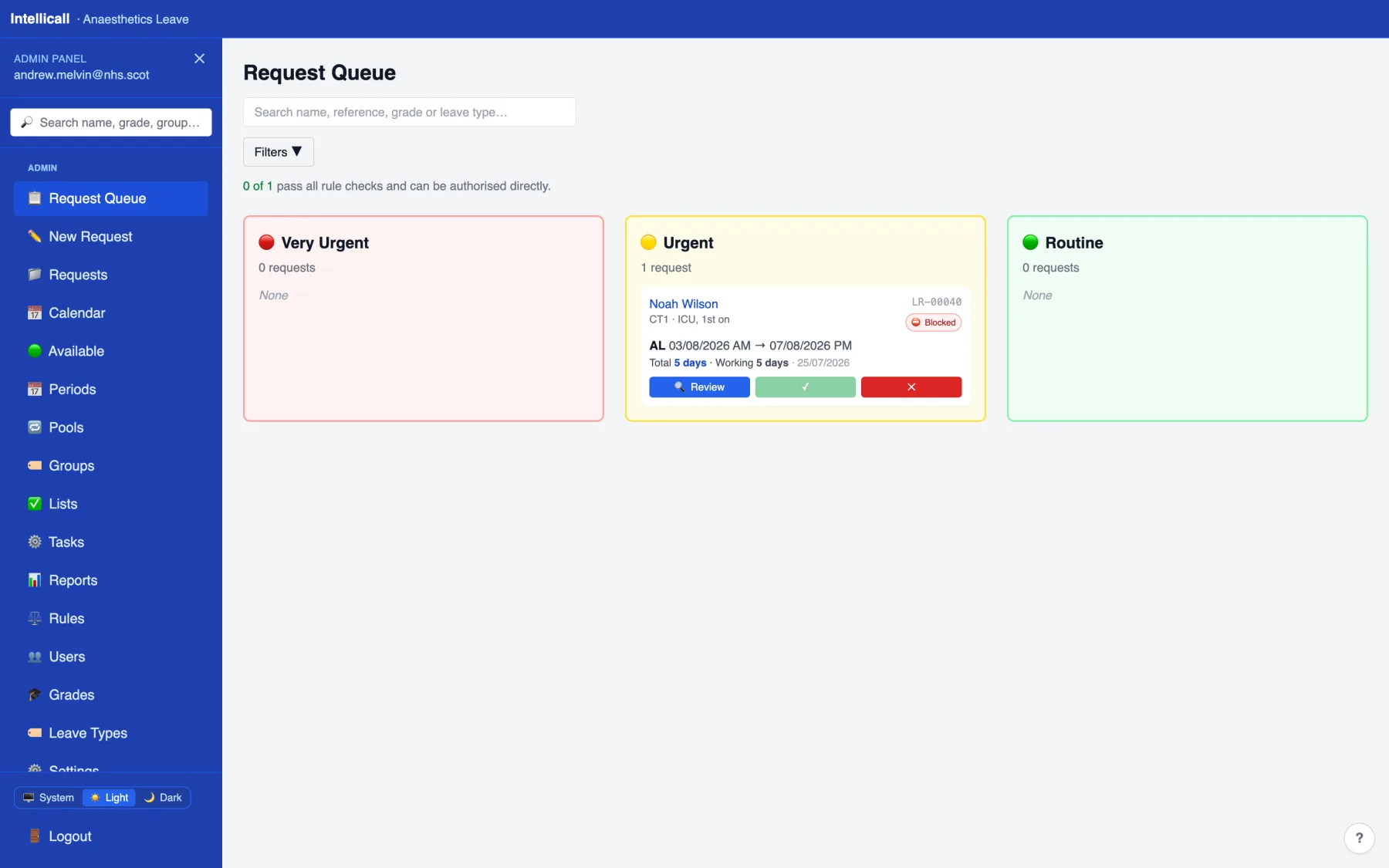
Every request, sorted by urgency
One queue instead of an inbox — nothing is missed because it's buried under yesterday's email.
-
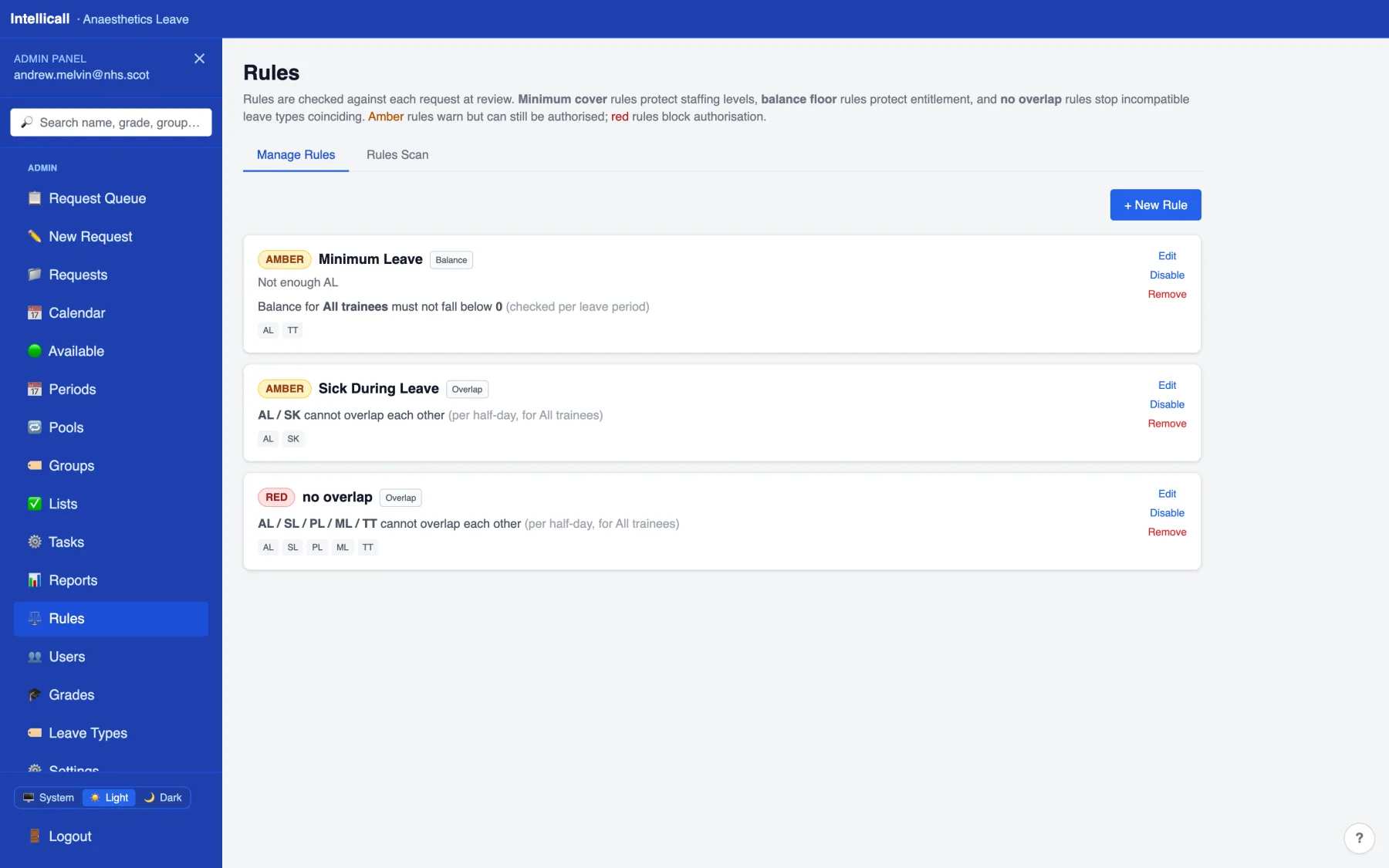
Rules check themselves
Minimum cover, entitlement floors and overlap rules run on every request. Amber warns, red blocks.
-
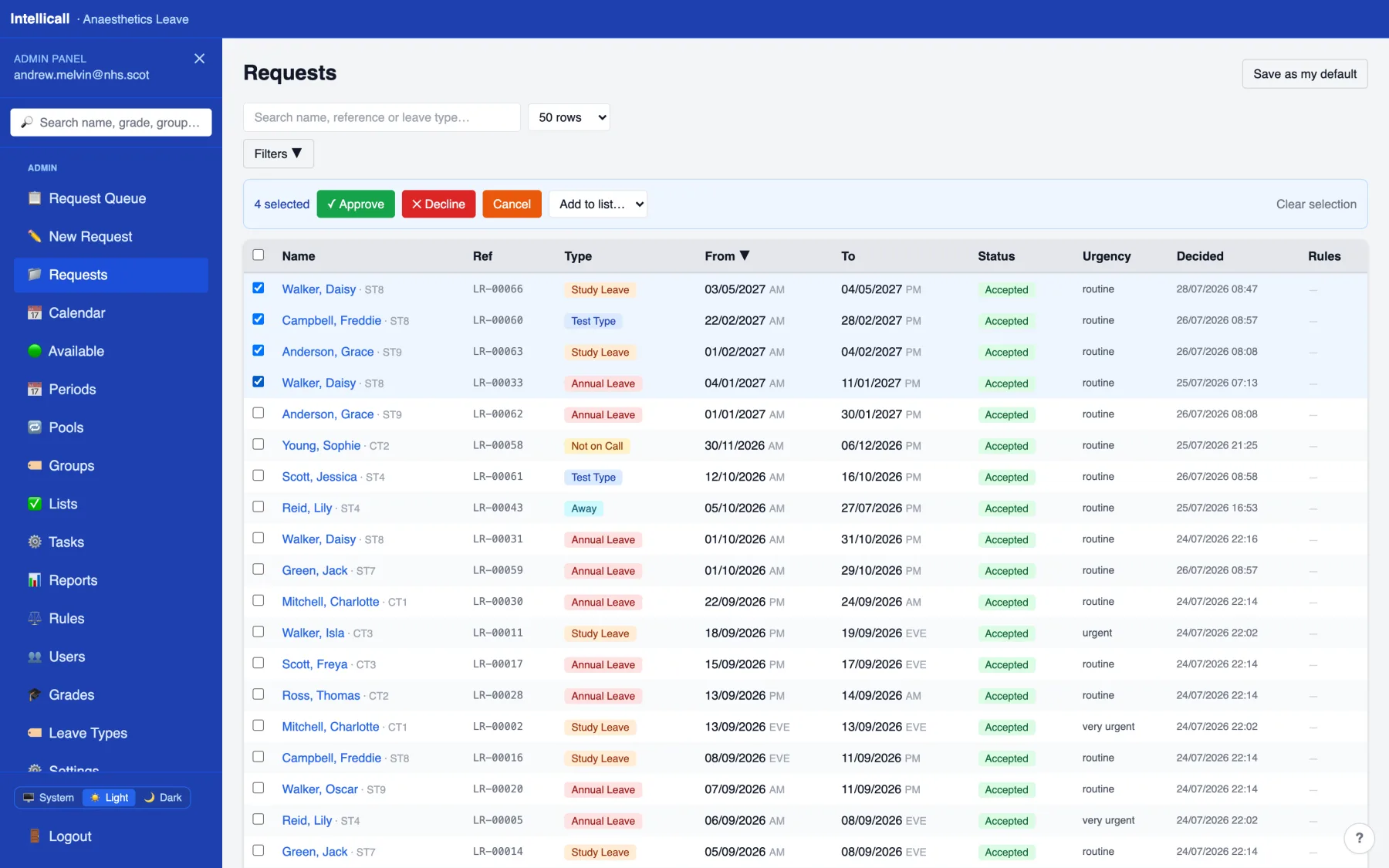
Approve a whole batch at once
Select several requests and approve, decline, cancel or list them together — one action, not twenty.
-
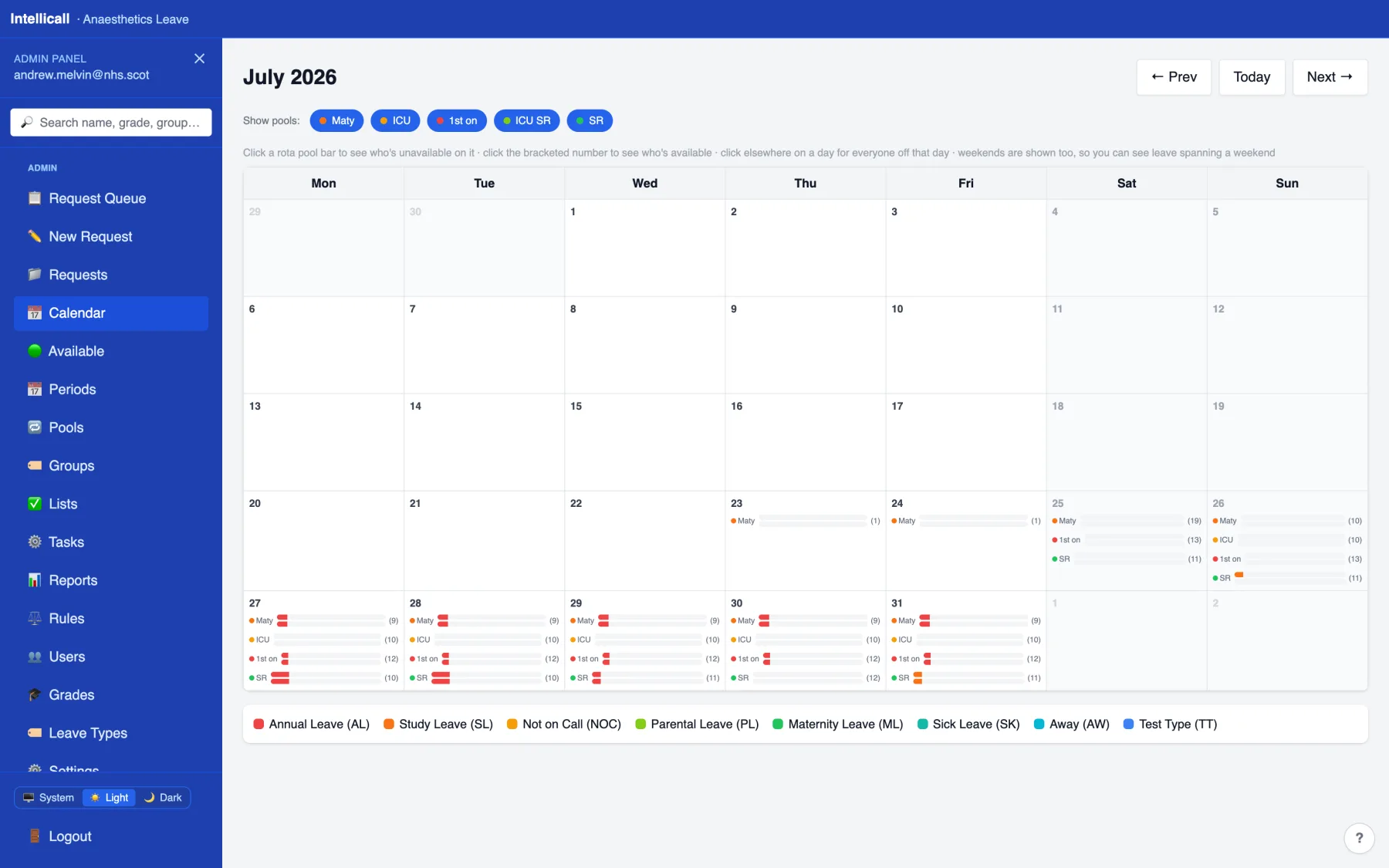
Cover across every rota pool
A month at a glance, coloured by leave type, with live headcount per pool per day.
-
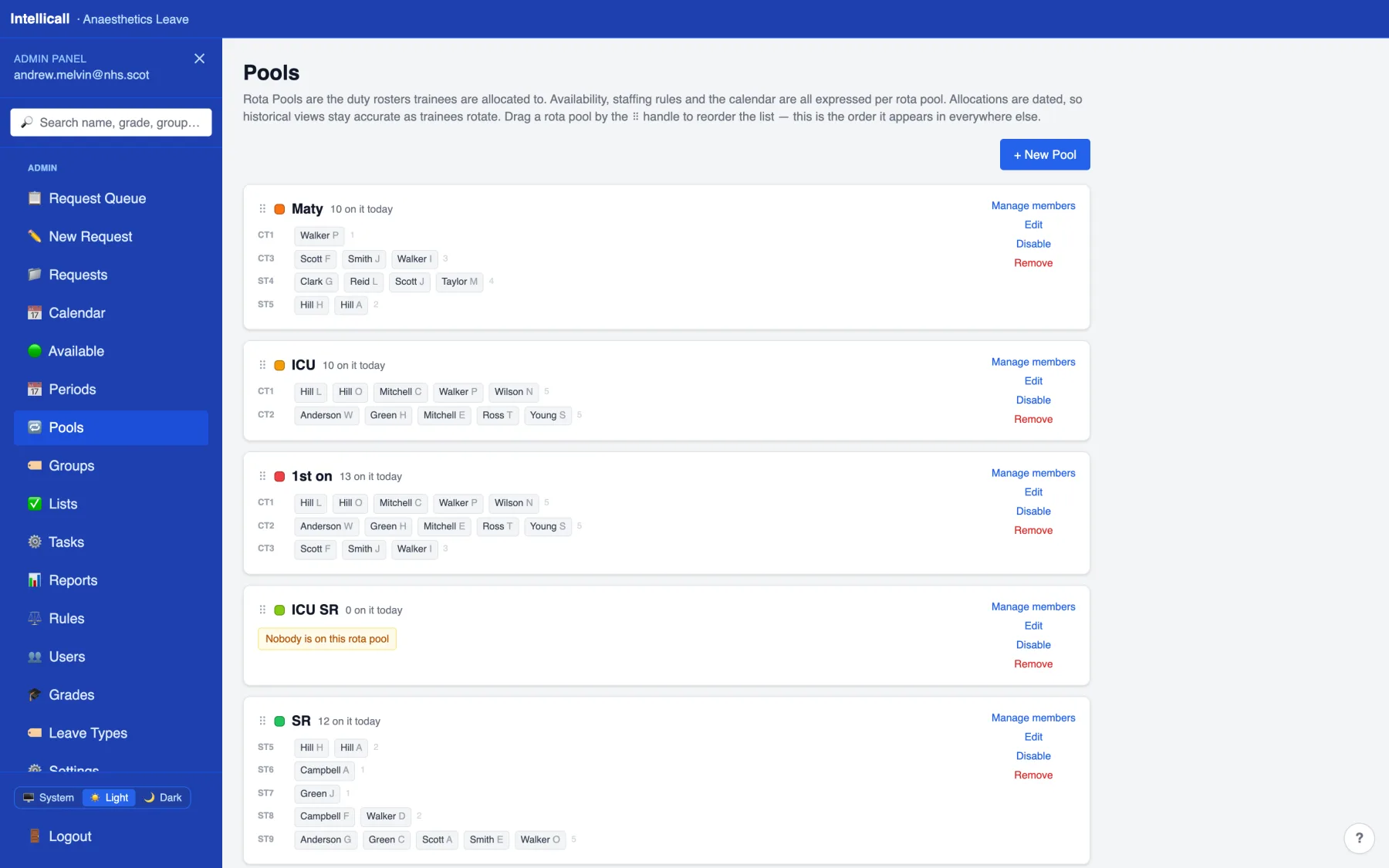
Who's on which pool, always current
Dated allocations drive the rules and the calendar, so cover reflects who's actually rostered today.
-
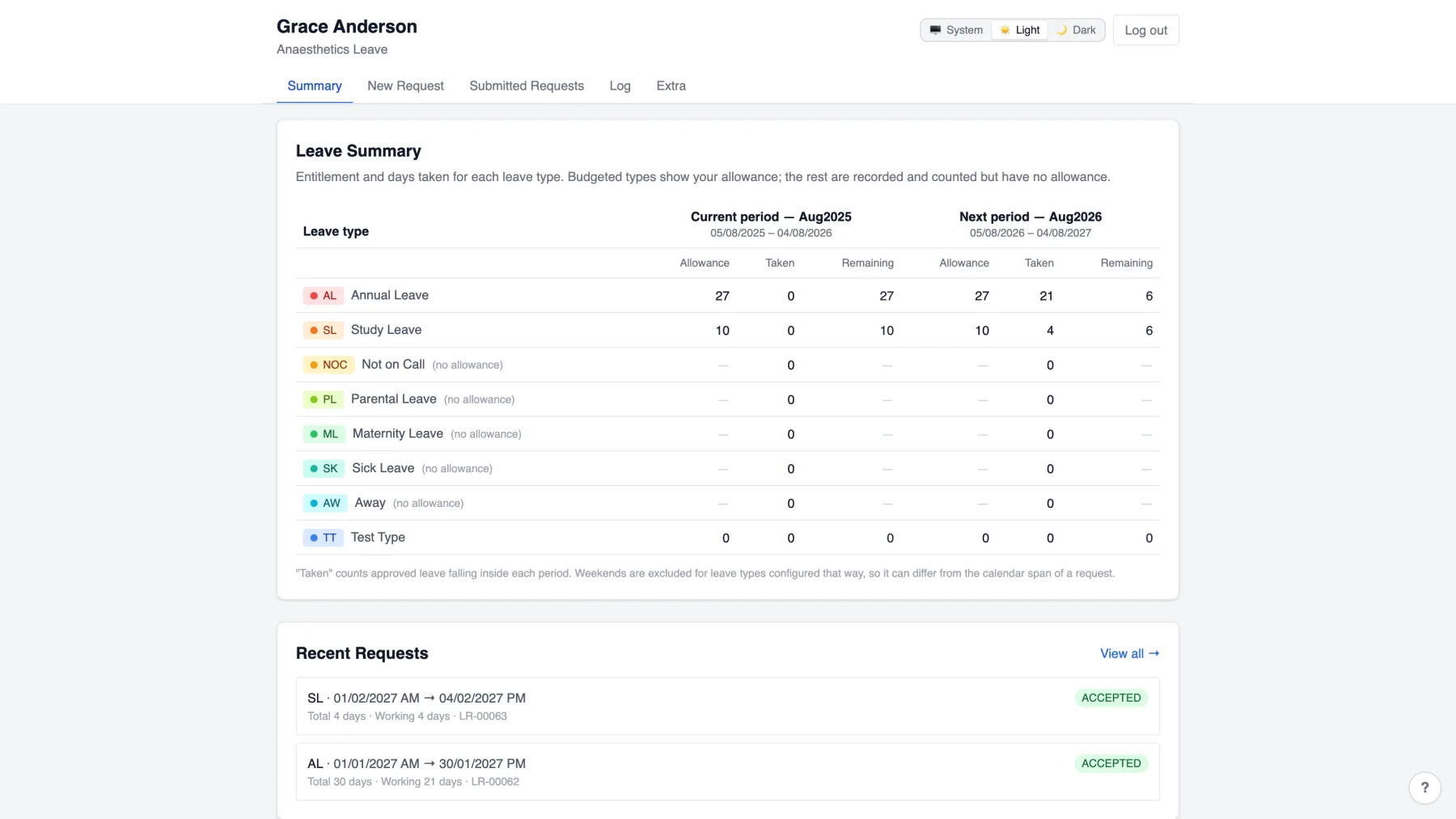
See exactly what's left
Entitlement and what's been taken, for this period and next — before you even open a request.
-
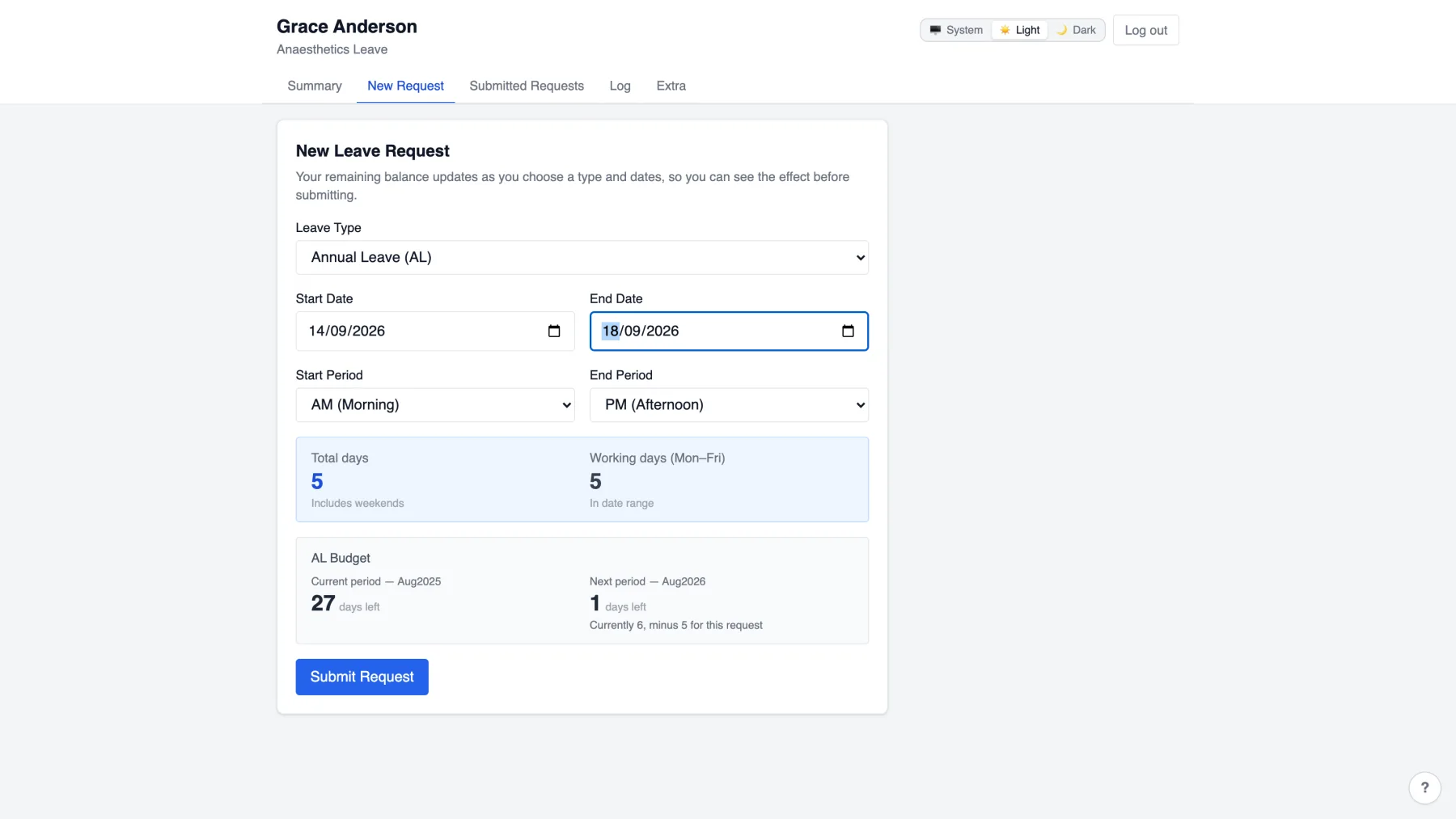
Pick your dates, watch the balance
The projected effect on your balance updates as you choose dates — no surprises after submitting.
-
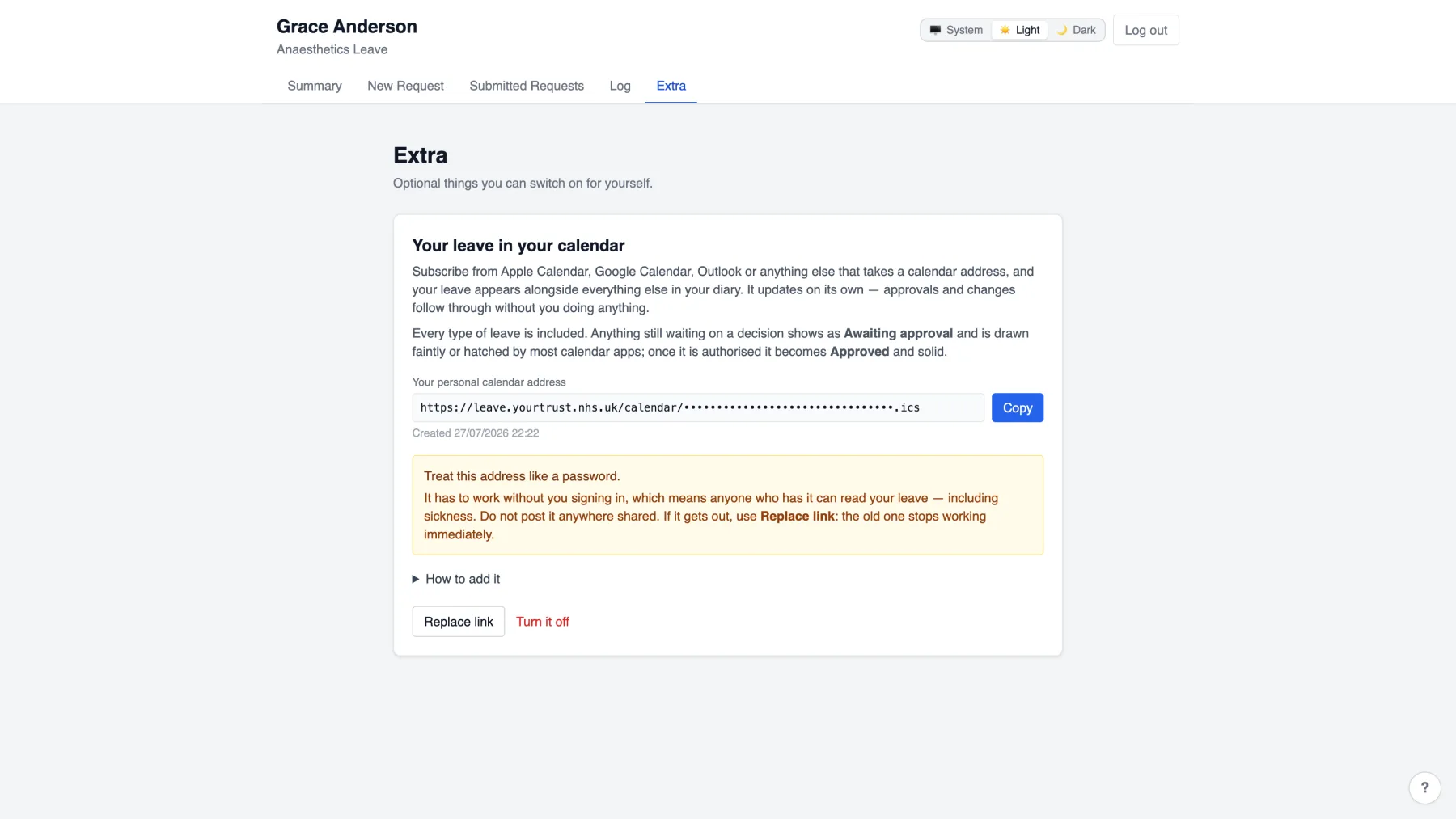
Your leave, in your own calendar
Subscribe once from Apple Calendar, Google or Outlook. It updates itself as requests are approved.
Screenshots show sample data for demonstration purposes.
Everything a department actually needs
Designed from the ground up for any medical rota — not built around one specialty and adapted afterwards.
Staffing rules engine
Minimum cover, entitlement floors and no-overlap rules, checked on every request. Amber warns; red blocks approval outright.
Bulk actions
Approve, decline, cancel, or move people between rota pools — for one person or fifty, in a single action.
Calendar subscription feeds
Everyone's leave, live in their own calendar app. No exports, no manual updates, revocable at any time.
Rota pools & live cover
Dated duty rosters drive the rules and the calendar, so cover is always based on who's actually on today.
Seamless rota transitions
Moving someone onto a different rota, or marking them unavailable — out of block, for example — is handled automatically: cover counts, the calendar and the rules all update immediately, with nothing to reconcile by hand.
Flexibility
Entirely adjustable to your department's own rules and rotas. Lists let you isolate exactly which users and which requests a given rule or pool applies to.
Control
You control the workflow. If trainees are involved in running it, for example, they can be promoted to admin — oversight sits wherever your department decides, not wherever the software assumes.
Scheduled housekeeping
Leave carry-over, rule re-checks and inactive-account cleanup run themselves, on a schedule you set.
Reports
Who's behind on leave, where the year bunches, how long approvals take — without building a spreadsheet.
Role & privilege-based access
Every admin page is gated on the server by a named permission — not just hidden in a menu.
Full audit trail
Every approval, edit and sign-in — successful or failed — recorded against who did it and when.
Security isn't a feature here. It's the foundation.
This system holds sickness, parental and maternity leave — special category data under UK GDPR. It's built to that standard from the ground up, not added afterwards.
Departmental isolation
Every department runs its own instance and its own database. Nothing is shared, pooled, or queried across departments.
Encrypted in transit
Every connection is HTTPS end to end, whether served directly or reached through a Cloudflare tunnel.
Encrypted in storage
The database itself is encrypted at rest, not just in transit — data stays protected whether it's moving or sitting still.
Role & privilege-based security
Twenty-plus named permissions enforced server-side on every request. Privilege changes are restricted to superadministrators only.
Passwords, done properly
bcrypt-hashed, never stored or logged in plain text. Sign-in is rate-limited against guessing, successful or not.
Full audit trail
Every consequential action — approvals, edits, privilege changes, sign-ins and failed sign-ins — recorded against who did it.
Data retention controls
Configurable automatic removal of inactive accounts, and pruning of audit records past a set age.
Designed around UK GDPR, not retrofitted to it
Data minimisation, purpose limitation, a full audit trail for accountability, and departmental isolation so data never leaves the instance it belongs to. It's built to support your department's own information-governance sign-off — it doesn't replace it.
Every deployment is a separate, isolated instance with its own database — set up specifically for your department, not a shared multi-tenant system with data logically separated by a flag in a table.
One price, one instance, everything included
Departmental instance
- Unlimited trainee and admin accounts
- Unlimited leave requests
- Every feature included — rules, bulk actions, reports, calendar feeds
- Your own isolated instance and database
- Set up for your department specifically
No self-serve signup yet — get in touch and a trial instance is set up for your department directly.
Talk to us
Every deployment is set up for your department specifically. Get in touch and we'll have a trial instance running.